September 14, 2026
SellSignal Is on the App Store
By Matt Wheeler · September 14, 2026
SellSignal is on the App Store as of today. If you already use it on the web, the iPhone app is the same account, the same positions, and the same exit commitments, with one addition that changes how the whole product feels: the decision ping now arrives as a push notification, on the device that is in your hand when a target hits.
Get SellSignal for iPhone on the App Store. It is free to install, and free to use on up to 3 active plans.
Why the Phone Matters for This Product
Every post on this blog has made the same argument from a different angle: writing the plan is easy, and the moment is hard. The moment never happens at a desk. A target hits at 6:40 in the morning, in a checkout line, or in the middle of a meeting. The voice that says it goes higher does not wait for you to open a laptop.
On the web, the ping was an email or a Telegram message you got to eventually. On the phone it is a push you feel in your pocket, and answering it takes two taps. That is the entire reason to build the app: put the commitment device where the moment actually happens.
What Is in 1.0
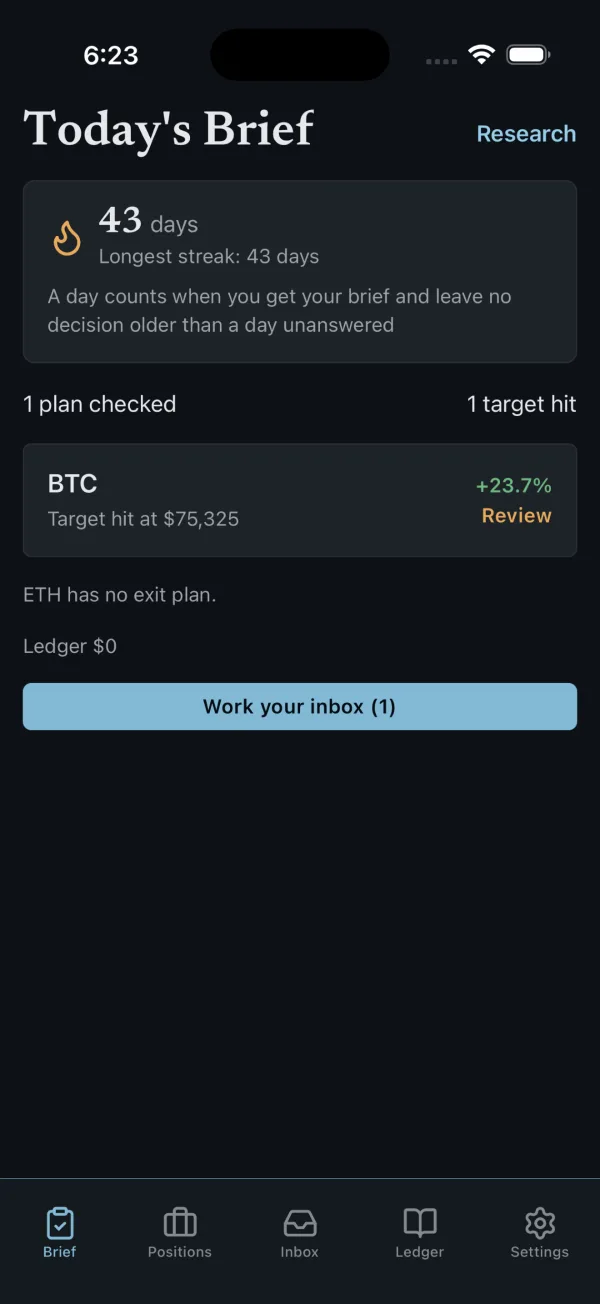
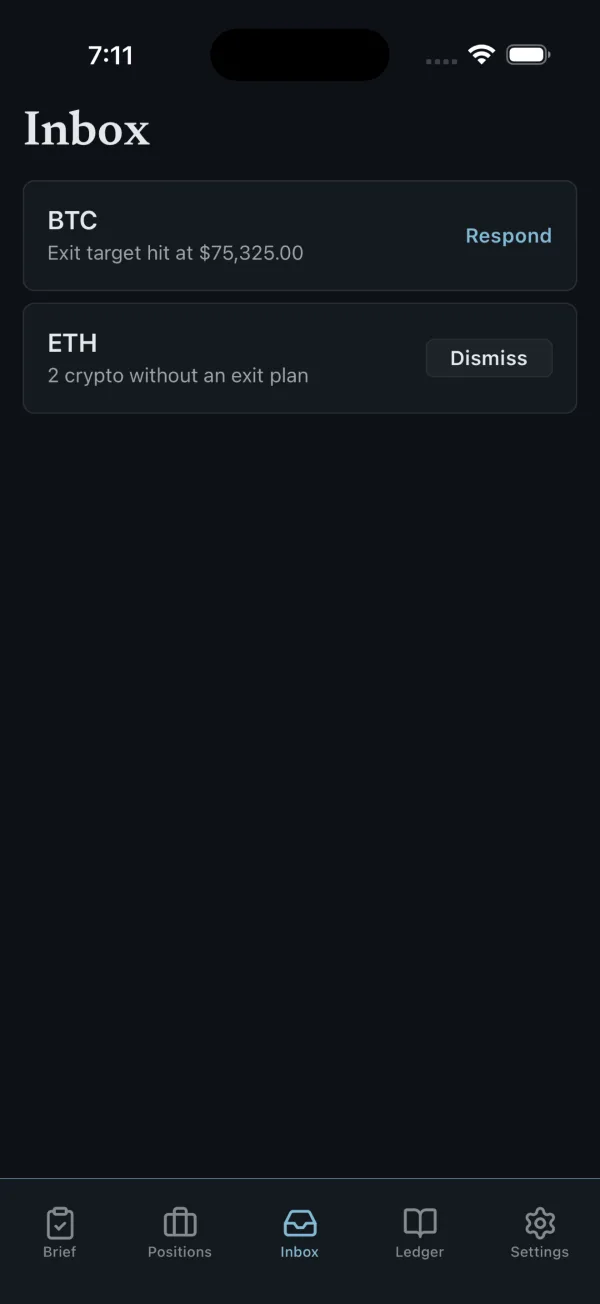
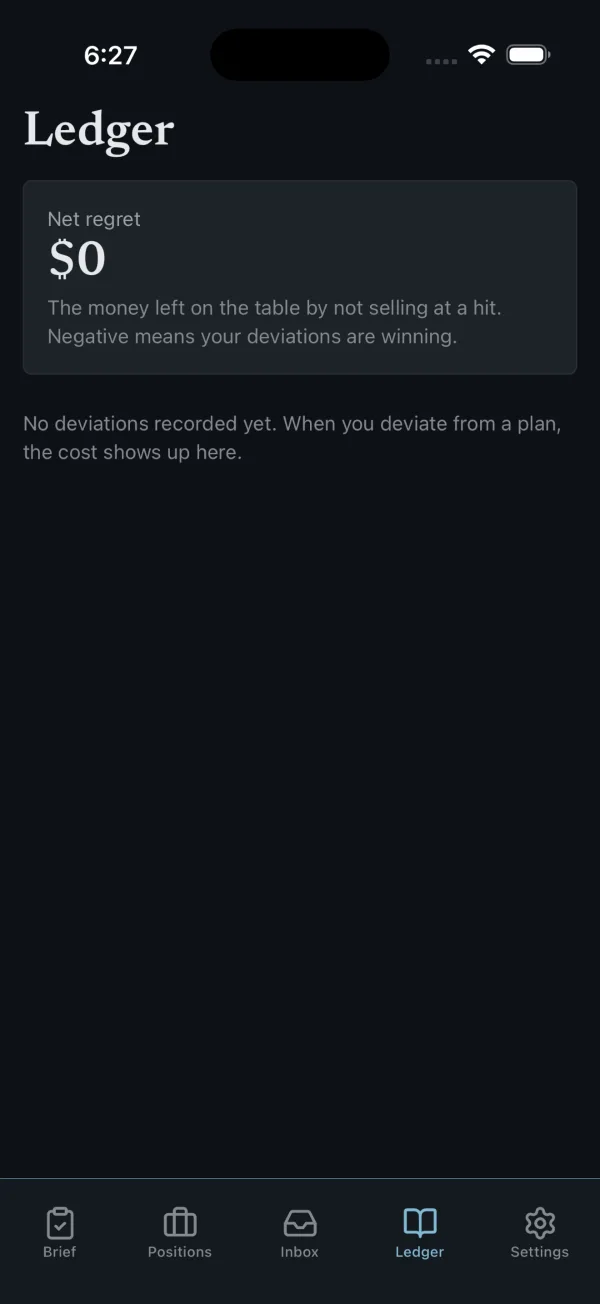
The app carries the full commitment loop, not a preview of it:
- Today's Brief. One screen that tells you whether your plans were checked, which targets hit, what is waiting for an answer, and your streak. A day counts when you get your brief and leave no decision older than a day unanswered.
- Positions and exit commitments. Add a position, write the exit ladder with its targets, sell percentages, and stop, or bring a plan you already have, and commit it. The confirmation line still says it plainly: this is your commitment, not our advice.
- Decision pings. When a committed target or stop hits, the app pings you and restates what you told yourself you would do.
- Respond. Done, I sold. Or I'm not selling, with a reason. Either answer goes on the record, and ignoring the ping long enough gets recorded too. Nothing here is a scold; it is a mirror.
- The Ledger. Every deviation priced in dollars, in a neutral voice, so you can see whether your in-the-moment overrides make you money or cost you money.
- Research. The health check and the research desk from the web, in the app, for the moments when you want a second look before you commit.
- One account. Sign in with Apple, Google, or your email. Everything you set up on the web is already there.
Free and Pro
The free tier is the same as on the web: 3 analyses a day, 3 tracked positions, 3 active exit commitments, and the daily brief as a push. Pro removes the limits, adds price alerts, and costs $8.99 a month. The annual plan costs less per month, and the App Store shows the exact price in your currency before you confirm anything.
Subscribe on the web or in the app; Pro applies to your account in both places. Manage or cancel it wherever you bought it, and your access runs to the end of the paid period either way.
What 1.0 Does Not Do Yet
I would rather tell you here than have you find it in the app:
- iPhone only. There is no iPad layout yet. It runs on any iPhone on a current iOS.
- Not in the EU storefronts yet. That is a registration step on our side, not a product limit, and it is on the list.
- A few settings still live on the web. Telegram linking, API keys, and account export. Everything in the daily loop is in the app.
How to Start
- Install SellSignal from the App Store.
- Sign in with the account you already use, or create one in the app.
- Allow notifications when asked, so a ping can reach you.
- Add one position and commit one exit plan. One is enough to find out, with real numbers, what kind of executor you are.
The Bottom Line
The web version taught us that the ledger changes behavior once people see their own deviations as line items. The phone closes the last gap: the ping now reaches you at the moment the plan needs you, and answering honestly is two taps away. Write the ladder, commit it, and let the app hold you to it.